

Your name, where players look.
Your logo and cover image on your venue’s page. For a pub group or university, your logo and colours on every venue. And your name on every tournament and league you run.
On Leadrboard®, a venue uploads its logo and a cover image in its dashboard: the logo shows on its page, in search and lists and on its posts, and the cover is its page’s banner. An organisation’s logo and two colours are set up with us, and each of its venues’ pages says it’s part of the organisation. Every tournament, league and group shows who runs it. The TV board and the app keep Leadrboard®’s own design.
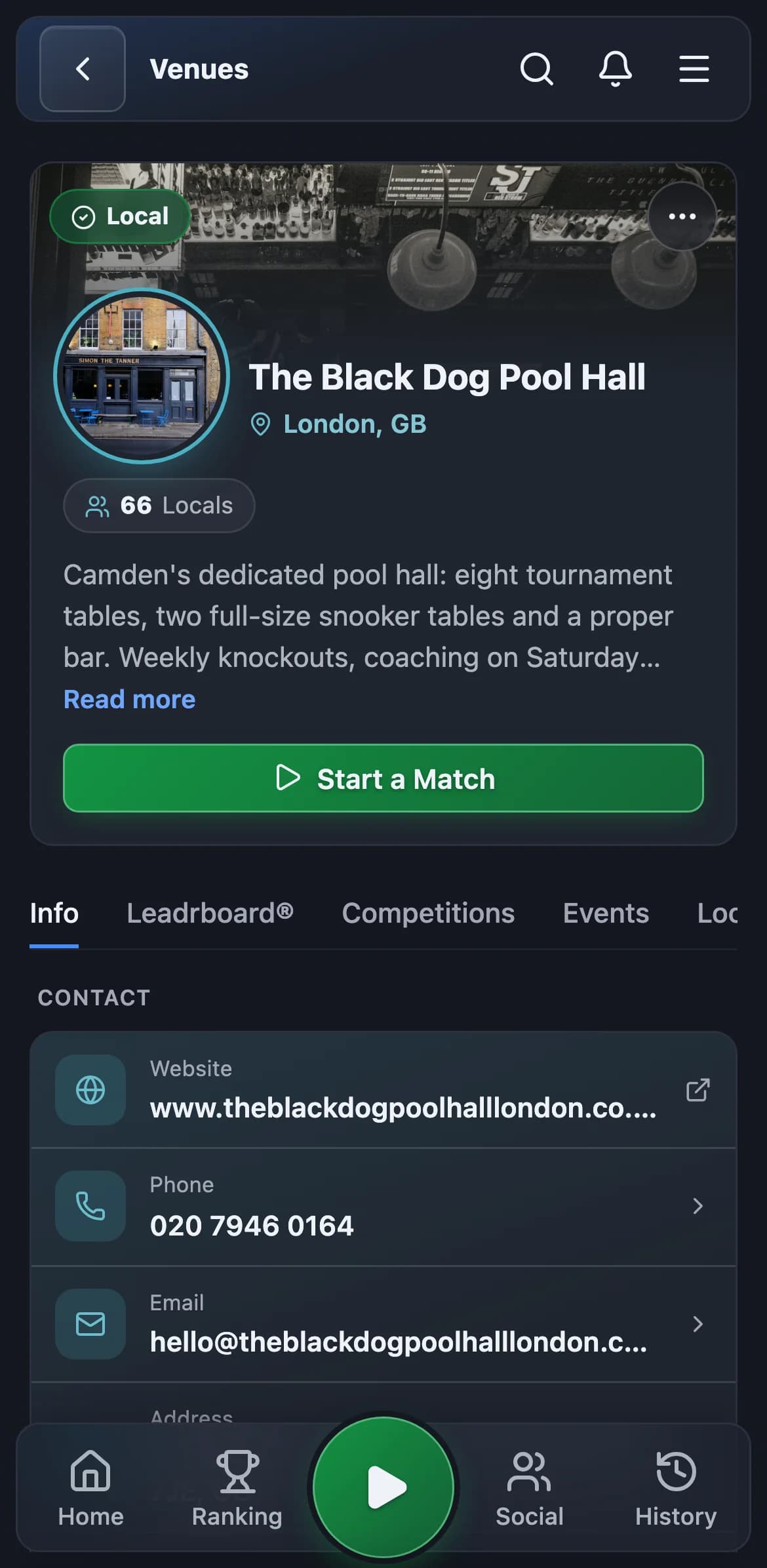
Putting your name on it.
A few minutes in your dashboard.
Upload your logo
Dashboard → Profile → Media → Upload Logo. It shows on your page, in search and on your posts.
Add a cover image
Upload Cover Image in the same place: the banner across the top of your venue’s page.
Run it as you
Every tournament, league and group shows the venue, organiser or organisation running it.
For a group of venues
We set up your organisation’s logo and colours, and every venue’s page says it’s part of it.
Where your name shows.
Your venue’s page
Your logo, your cover image, your address, opening hours and facilities, and your live board.
In search and lists
Players looking for somewhere to play see your logo beside your name.
On your posts
What your venue posts to its players carries your logo.
On what you run
Tournaments, leagues and groups say who runs them: your venue, your organiser page or your organisation.
Across a group
An organisation’s logo and two colours, and a “Part of” badge on each of its venues’ pages.
On the TV
The board on your TV shows your venue’s leaderboard in Leadrboard®’s design.
Branding questions.
Can I use my own colours?
An organisation can: we set up its logo and two colours with it. A single venue has its logo and cover image.
Is my logo on the TV?
Not today. The TV shows your venue’s leaderboard in Leadrboard®’s design.
Can I have it under my own name entirely?
No. Every venue, organiser and organisation is on Leadrboard®, so players carry one rating everywhere they play.
How do I change my logo?
Dashboard → Profile → Media: upload a new one, and it changes everywhere at once.
Does it cost extra?
No. A venue’s logo and cover come with the Venue package, and an organisation’s with the Organisation package.
Who runs it.

Put your venue on the board.
Start a 30-day free trial, or talk to us about a group.